NeoStack V3 FAQ
All information related to NeoStack Dev Suite and NeoStack AI V3 Plugin
Licensing
I bought lifetime (FAB or Betide website). Do I need a subscription for V3?
No. Your lifetime purchase covers the V3 plugin and all future plugin updates. There is zero difference in the plugin itself between lifetime and subscription. We distribute the same plugin to everyone.
What is the subscription for then?
Subscription covers the extra apps and cloud features of the NeoStack dev suite: Desktop App (also an IDE and GUI for version control), Mobile App, cloud features like remote agents and source control, plus whatever we add to the suite later. The AI plugin is now just one part of NeoStack Dev Suite.
I have lifetime, do I get to try the subscription features?
Yes. All lifetime users get a free month of subscription. You will receive an email.
Does the subscription include AI usage / tokens?
NeoStack Cloud lets you pick from a model list (similar to OpenRouter) and we provide some free usage, but we suggest using Claude Code or Codex.
Should I buy from FAB or the website?
For the base plugin there is no difference. Subscription and new suite features are on https://neostack.dev.
How to verify/connect FAB license for NeoStack V3?
If already have license verified at Betide Studio website, skip to step 4.
- Go to https://betide.studio/dashboard, then sign in with GitHub/Discord or create an account.
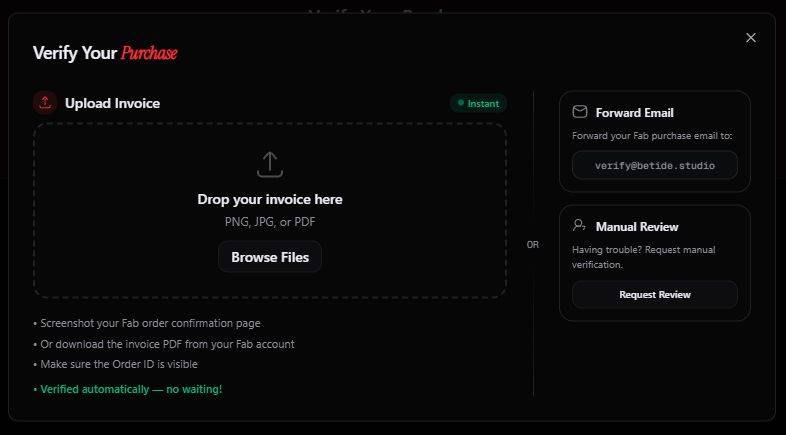
- Then click “Verify Purchase” to upload the invoice for the product you bought. Verification should take just a second.
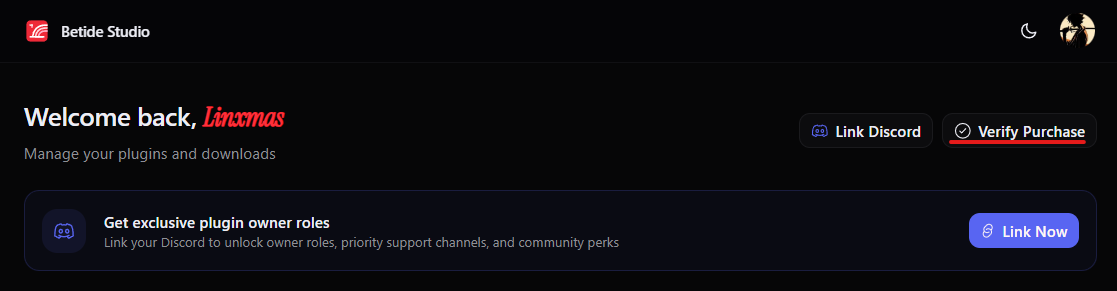
If it does not verify automatically, the invoice will be sent for manual verification, which may take up to 24 hours.
The invoice should be from the FAB store and show the order ID and product name. You receive this invoice by email from help@accts.epicgames.com.
- After verification you can also link your Discord account to get access to verified support channels on Betide Discord server https://discord.gg/betide.

- Now you need create https://neostack.dev/ account as this is the one that will be used to connect plugin for license and aut update.
- After creating account open settings page https://neostack.dev/settings. Here you need connect Betide Studio account with verified license.
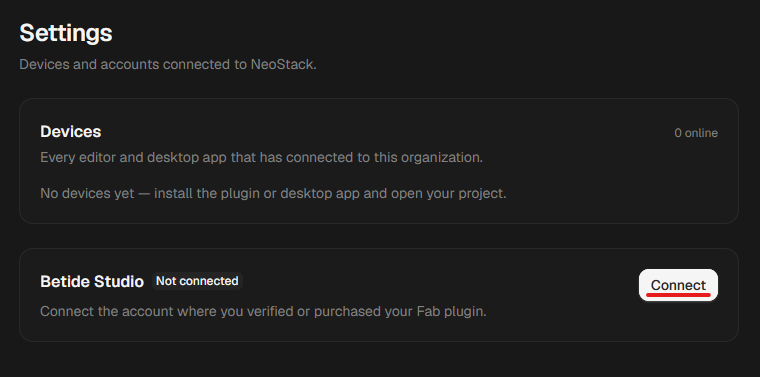
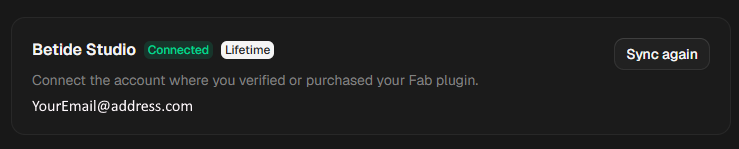
- Check you used the correct account on both sites. Social logins (Google, GitHub, Discord) are easy to mix up. The account is defined by the login method, not just the email. If account used was corrent is should show Lifetime.
- Now in editor need connect NeoStack account with plugin. Press show sidebar icon.
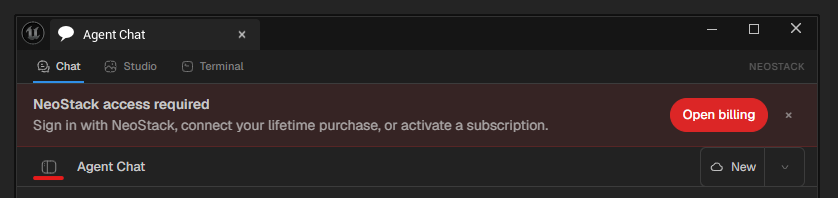
Here press connect Sign In with NeoStack and complete connection process.
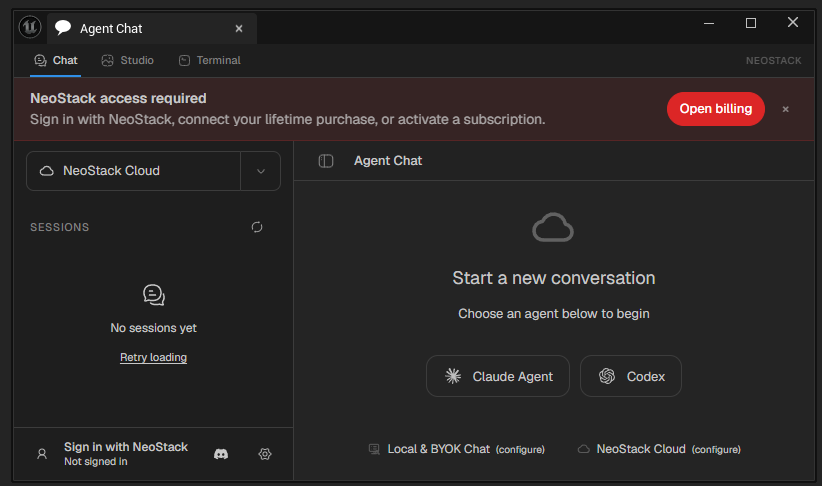
If all was done coreectly you should see your lifetime account. Enjoy V3!
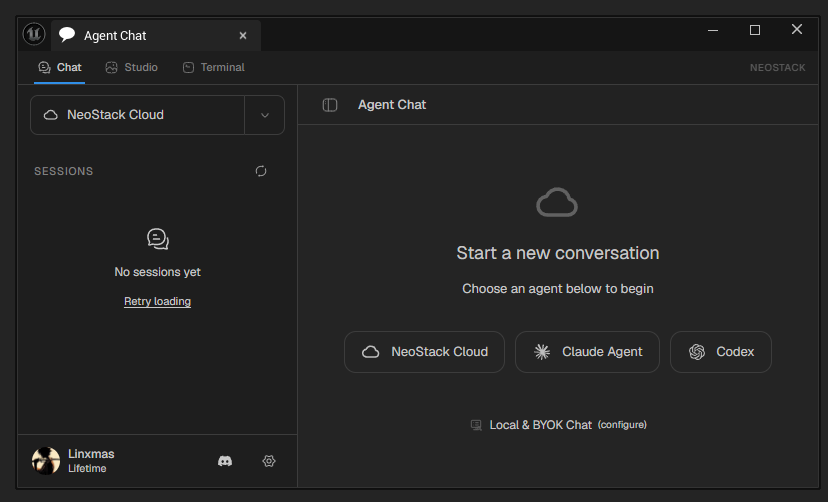
- If it still shows Free after a re-sync, DM us your Betide account email.
Download and install
Where do I download V3? FAB / Betide website still shows 2.0.42.
Plugin is downloadable from https://neostack.dev/download. Once setup and logged in with NeoStack account it will auto-update.
How do I install / upgrade from V2?
- Close the editor.
- Delete the old plugin folder from YourProject/Plugins/. Also delete the NeoExtensions folder.
- Never copy-paste over the old version. Always delete first, then place the freshly extracted V3 folder.
- In an existing project, clean your .uproject of all references to NeoStackAI and the old extensions, or you will get load errors. Leftovers like NeoStackAI_Python from V2 will block V3 from loading.
- Start the editor.
Which engine versions does V3 support?
UE 5.6 to 5.8. We can add older versions on request, but the older the engine, the worse the AI plugin works, since less engine API is exposed for agents to use. (5.5 support was recently added)
Account
I bought a subscription, how long until the plugin notices?
Instant. Just restart the editor.
Error: “NeoStack access is unavailable. Sign in with NeoStack…” even though I use my own Codex/Claude.
You still need to be logged into the plugin with the NeoStack account that has your purchase verified.
Roadmap
When is the Desktop App available?
It is uploaded but locked pending Azure approval.
What do the Desktop and Mobile apps actually do?
Desktop App is an IDE and a GUI for version control. Agents can read Blueprints without the engine running, restart the engine, recover from crashes and self-heal, and run for days unattended. Mobile App lets you monitor and control sessions remotely. Feature showcase video coming.